 Online Compass
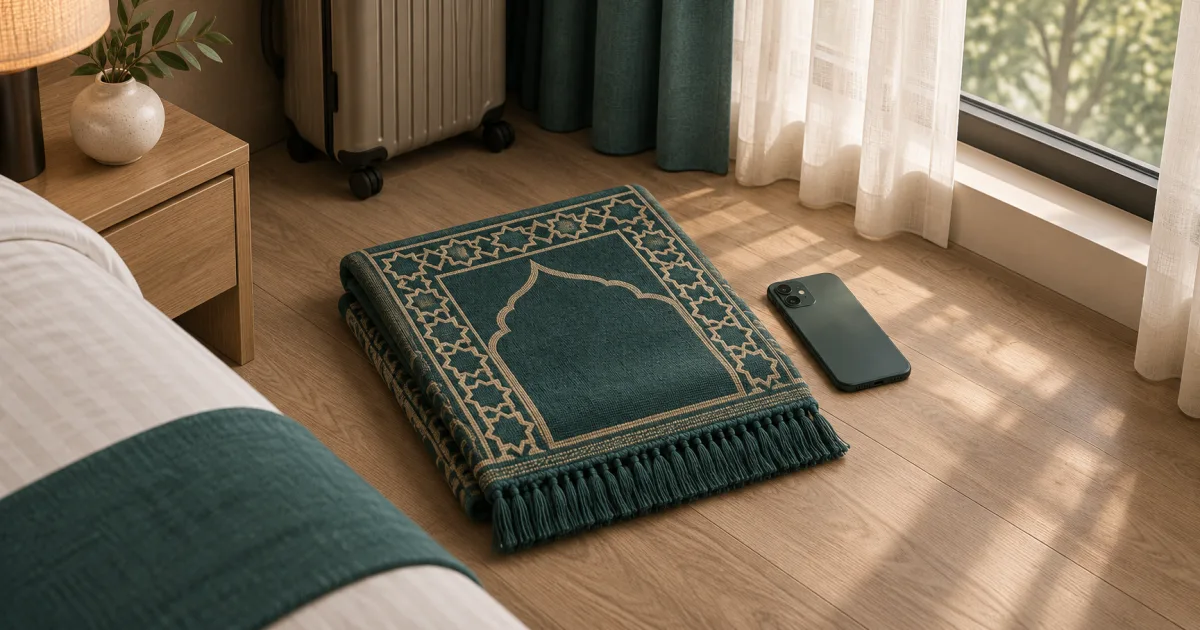
When you arrive in an unfamiliar room, start by finding the direction from your location to the Kaaba in Makkah. Then use the phone or a map to line up that direction with the room. A phone can help with both. If its compass is unavailable or the needle keeps moving, you can still get your bearings from a map.
QiblaFind is our sister site for Qibla direction and prayer tools. You can look up a city on a laptop, use a live compass on a supported phone, or select a point on a map. Start with the QiblaFind direction finder.
Find the Qibla from your current location
- Open QiblaFind in your phone’s browser and choose Enable Compass. Allow location access if you want the site to use your current position. If the browser asks for motion access, allow it to use the live heading.
- Check the Qibla bearing. This is the direction to face, measured clockwise from true north. Your heading is the direction the phone is currently pointing.
- If you have a steady live heading, hold the phone flat and turn slowly until the Qibla marker points toward the top of the screen. Pick a feature in that direction, such as a corner or a point on the opposite wall. You can then put the phone down and use that reference.
The calculated bearing depends on your starting point. The live heading depends on your phone and its surroundings. If QiblaFind reports Approximate heading or Qibla bearing only, use the bearing or map as your reference. Do the same if the marker drifts while you are standing still. Near a steel door, elevator or magnetic phone mount, take another reading several steps away. Remove a magnetic case if one is attached. Recalibrate the phone if prompted, then check whether the reading settles when you hold it still. Phone compass troubleshooting
Find the direction without GPS or a live compass
Choose Enter your location manually and select the right city from the results. Pay attention to the country or region if you see several cities with the same name. For a quick reference on a desktop or before a trip, look up your destination in the Qibla direction by city directory.
A city result uses a reference point. If you know the building or street where you’ll be staying, open View Qibla on a map and select that point for the calculation. On the north-up map, compare the line with a road or building edge you can identify from where you are. Stand facing the same way as the mapped reference and use the angle between it and the line for Qibla.
Say the line runs slightly to the left of a straight street. If you’re facing along the street the same way as the line, you’ll turn slightly left. Check which end of the street you are facing first. Facing the other end of the street reverses the reference by 180°.
Before a trip with uncertain internet access, save a screenshot showing the direction line and a landmark you can recognize on arrival. Include the location in the image. If you change hotels or move to another part of town, check the result for the new point when you reconnect.
Work through the Dubai bearing
QiblaFind displays an initial bearing of 258.23° from its Dubai reference point at 25.2048° N, 55.2708° E. Due west is 270°, so from that point the Qibla is about 12° south of west. That tells you where to look even before you have a live heading. Qibla direction in Dubai
You can reproduce the calculation with the Online Compass bearing calculator. Use latitude first and longitude second in each pair.
- Start at Dubai using latitude
25.2048and longitude55.2708. - Set the destination to the Kaaba using latitude
21.4225and longitude39.8262.
The calculator rounds the bearing to 258.2° from true north and gives an estimated great-circle distance of 1,631.1 km. From a different starting point, use new coordinates. The extra decimal places in a city result describe the calculation for that reference point. The direction you can physically line up depends on the location, compass and reference you use.
In a browser check, searching for Dubai in the live finder gave 258.8°, while the published Dubai page showed 258.23° at its listed coordinates. If a saved city page and a live search differ slightly, compare the starting points before adjusting the phone. For your room, use your current position or choose the building on the map.
Why the bearing starts at true north
True north points toward the geographic North Pole. A magnetic compass measures from magnetic north, which can differ from true north by an angle called magnetic declination. If you compare a magnetic heading and a true-north bearing directly, that angle can show up as a difference even while both readings are stable. Set your compass to a confirmed true-north mode or apply the local declination when using a magnetic compass. Magnetic north and true north explained
QiblaFind uses the initial direction of a great-circle path from your starting point to the Kaaba. A great circle is the shortest route between two points on a sphere, and the heading along it can change as you travel. The initial bearing answers which way to face where you are. A straight line drawn across a flat world map can give a different starting angle because the projection distorts the geometry. QiblaFind calculation methodology
Check prayer times for the destination
Set your destination city before reading the day’s times, especially if you are planning from a different time zone. QiblaFind shows Fajr, Dhuhr, Asr, Maghrib and Isha, with sunrise listed separately. Your Qibla bearing is tied to your starting point. The prayer schedule also depends on the date, local clock and calculation settings. QiblaFind prayer times
If Fajr or Isha differs from another timetable for the same city, compare the Calculation method first. Methods can use different twilight angles, and some use a fixed interval for Isha. Check the Asr convention separately. This setting changes the shadow length used to calculate Asr. A small difference can have a straightforward explanation even with the correct city selected.
When you plan to pray with a congregation, check the mosque’s own schedule. Its published congregation time can come after the start time shown by a calculation. At high latitudes, compare with an established local timetable during seasons when twilight lasts unusually long.
Look for a nearby mosque
Open the map around your current location or search for the city you’ll be visiting. Start with your actual neighborhood if you know it. A mosque that looks close on a map may be across a river or a road with few crossings, so check the route separately if you plan to walk. QiblaFind Mosque Finder
The finder uses OpenStreetMap data, so coverage depends on what contributors have mapped. If a listing is sparse, confirm the entrance, opening hours and congregation schedule directly with the mosque. In an airport, hotel or other large building, staff can often point you to a designated prayer room or explain how to get there.
Convert Hijri dates and plan for Ramadan
The Hijri date converter works in both directions. Enter a Gregorian date to see the corresponding calculated Hijri date, or enter a Hijri day, month and year to find its Gregorian equivalent. This is useful when comparing an itinerary with an event listed in the other calendar. The tool uses a tabular calculation. For an observance that follows local moon sighting, confirm the date with the community you’ll be visiting. QiblaFind Hijri calendar and date converter
The Ramadan planner has a page for each year, with links to neighboring years. Use the projected dates for early planning and the current destination’s prayer times to check Fajr and Maghrib for suhoor and iftar. The Ramadan page can show estimated dates before the daily schedule is available there. Confirm the start of Ramadan with your local community. QiblaFind’s 2027 Ramadan calendar
Choose whether to enable reminders
Prayer reminders use browser notifications. Choose the city you want reminders for and enable notifications when prompted. On iPhone and iPad, QiblaFind asks you to add the site to your Home Screen and open it from there before enabling them. After you travel, check which city the reminders are set to. You can turn them off from the same page or revoke the permission in your browser settings. QiblaFind prayer time notifications
The different permissions serve different purposes. City search lets you check a bearing without sharing your current location. If you do share your location, QiblaFind sends coordinates to its server for city lookup. Motion readings stay in your browser. If you opt in to reminders, QiblaFind stores the push subscription, location, time zone and language to schedule them. QiblaFind privacy policy
Once you know where you’ll be staying, save the bearing alongside the map reference. Keep the mosque’s timetable separately if you intend to join a congregation. You’ll then have both the direction to face and the time you need to be there.